NUTRIBUDDY

Nutri
Buddy

App that helps parents to understand meals, portions and nutrition without making everyday decisions feel complicated.

TYPE: GROUP PROJECT

TYPE: GROUP PROJECT

TIMELINE: 4 WEEKS

TIMELINE: 4 WEEKS

FOCUS: UX RESEARCH & UI DESIGN

FOCUS: UX RESEARCH & UI DESIGN

TOOLS: FIGMA, CHATGPT

TOOLS: FIGMA, CHATGPT

DESIGN PROCESS

DESIGN PROCESS

DESIGN PROCESS

From problem to product.

A simple four-step process kept the project focused.

01 DISCOVER

01 DISCOVER

Understand
Understand

The problem and user behaviour.

The problem and user behaviour.

02 DEFINE

02 DEFINE

Focus
Focus

Turn research into users, journeys and a clear HMW.

Turn research into users, journeys and a clear HMW.

03 DEVELOP

03 DEVELOP

Structure
Structure

Explore ideas, flows and information structure.

Explore ideas, flows and information structure.

04 DELIVER

04 DELIVER

Design & Test
Design & Test

Design, test and improve the experience.

Design, test and improve the experience.

01 DISCOVER

01 DISCOVER

01 DISCOVER

Understanding the Project.

Start with the problem, people and existing behaviour.

THE BRIEF

Nutrition for children aged 4–6.

STAKEHOLDERS

Parents

Grandparents

Teachers

Nannies

SECONDARY RESEARCH

PRIMARY RESEARCH

Interviews & Survey Forms

“Am I doing enough?” “There is too much conflicting advice.”

“Am I doing enough?” “There is too much conflicting advice.”

Observations
Observations

“Am I doing enough?” “There is too much conflicting advice.”

“Am I doing enough?” “There is too much conflicting advice.”

RESEARCH INSIGHTS

RESEARCH INSIGHTS

RESEARCH INSIGHTS

What the research showed.

The main patterns were simple and consistent.

How much time do you get to spend with your child on weekends?

65 Responses

65 Responses

Who takes care of your child while you’re at work?

65 Responses

65 Responses

What’s your favourite activity to enjoy with your child?

65 Responses

65 Responses

17

17

PARENTS

PARENTS

Unsure about correct portion sizes and often follow family habits.

Unsure about correct portion sizes and often follow family habits.

6

6

GRANDPARENTS

GRANDPARENTS

Rely on traditional recipes and may not know newer guidelines.

Rely on traditional recipes and may not know newer guidelines.

4

4

NANNIES

NANNIES

Find children's snacking difficult to manage.

Find children's snacking difficult to manage.

3

3

TEACHERS

TEACHERS

Notice children eating at irregular times.Notice children eating at irregular.

Notice children eating at irregular times.Notice children eating at irregular.

25

25

FAMILIES

FAMILIES

Half used screens to distract children during meals.

Half used screens to distract children during meals.

2

2

NUTRITIONISTS

NUTRITIONISTS

The project reports low iron/calcium in about 30% of children checked.

The project reports low iron/calcium in about 30% of children checked.

WHAT I CHECKED
WHAT I CHECKED

Can users see the main action? Is important information grouped together? Can the screen be understood without reading everything?

Can users see the main action? Is important information grouped together? Can the screen be understood without reading everything?

02 DEFINE

02 DEFINE

Turn research into a user.

Personas make the problem easier to design for.

RIYA | BUSY PARENT

RIYA | BUSY PARENT

RIYA | BUSY PARENT

full-time working mother of a 5-year-old

Wants: quick nutrition guidance without extra research.
Struggle: screens become an easy meal-time solution.

Wants: quick nutrition guidance without extra research.
Struggle: screens become an easy meal-time solution.

Wants: quick nutrition guidance without extra research.
Struggle: screens become an easy meal-time solution.

MEENA | TRADITIONAL CAREGIVER

MEENA | TRADITIONAL CAREGIVER

MEENA | TRADITIONAL CAREGIVER

grandmother, gives weekday caregiver

Wants: combine familiar recipes with newer nutrition.
Struggle: apps feel complicated.

Wants: combine familiar recipes with newer nutrition.
Struggle: apps feel complicated.

Wants: combine familiar recipes with newer nutrition.
Struggle: apps feel complicated.

EMPATHY MAP

EMPATHY MAP

EMPATHY MAP

What users say, think, feel and do.

Helped connect research findings to real emotions and behaviours.

SAYS
SAYS

“Is this portion size right?”
“I don't have time to look this up.”

“Is this portion size right?”
“I don't have time to look this up.”

THINKS
THINKS

“Am I doing enough?”
“There is too much conflicting advice.”

“Am I doing enough?”
“There is too much conflicting advice.”

FEELS
FEELS

Guilty or overwhelmed
relieved when guidance is simple.

Guilty or overwhelmed
relieved when guidance is simple.

DOES
DOES

Falls back on habits or screens
seeks expert help only.

Falls back on habits or screens
seeks expert help only.

AS IS JOURNEY

AS IS JOURNEY

AS IS JOURNEY

Find the gap in today's routine.

The problem happens when parents need a quick answer but don't have one.

01

01

Meal Time
Meal Time

What or how much should I serve?

What or how much should I serve?

02

02

Fallback
Fallback

The easiest option of giving screen wins.

The easiest option of giving screen wins.

03

03

No quick check
No quick check

No easy way to know if the meal is balanced.

No easy way to know if the meal is balanced.

04

04

Expert Help
Expert Help

Advice may come only later.

Advice may come only later.

05

05

Feeling
Feeling

The parent stays uncertain.

The parent stays uncertain.

HOW MIGHT WE?
HOW MIGHT WE?

How might we help parents make better everyday nutrition decisions without adding more work?

How might we help parents make better everyday nutrition decisions without adding more work?

03 DEVELOP

03 DEVELOP

Explore before choosing.

Different formats were considered against the user's everyday needs.

GAME
GAME

Engaging, but may not be useful every day.

Engaging, but may not be useful every day.

APP
APP

Accessible and trackable during daily routines.

Accessible and trackable during daily routines.

POSTER OR ADS
POSTER OR ADS

Good for awareness, but not ongoing support.

Good for awareness, but not ongoing support.

BOOK
BOOK

Informative, but less convenient during busy routines.

Informative, but less convenient during busy routines.

CHOSEN DIRECTION
CHOSEN DIRECTION

An app gives parents guidance that is available when they actually need it.

An app gives parents guidance that is available when they actually need it.

TO BE JOURNEY

TO BE JOURNEY

Design a better daily loop.

The new experience moves from uncertainty to action.

01

01

Open App
Open App

See today's overview.

See today's overview.

02

02

Select meal
Select meal

Choose the meal.

Choose the meal.

03

03

Check details
Check details

See food and portion guidance.

See food and portion guidance.

04

04

Log meal
Log meal

Save it quickly.

Save it quickly.

05

05

Get feedback
Get feedback

See a simple daily summary.

See a simple daily summary.

TASK FLOW

TASK FLOW

One key task: log a meal.

The main flow stays short so parents can finish it without unnecessary steps.

Home
Home
Select meal
Select meal
Meal details
Meal details
Check portion
Check portion
Log & confirm
Log & confirm
DESIGN REASON
DESIGN REASON

Keep the main task linear. Parents should not have to open multiple menus to log one meal.

Keep the main task linear. Parents should not have to open multiple menus to log one meal.

INFORMATION ARCHITECTURE

INFORMATION ARCHITECTURE

Organise around real tasks.

Four main areas keep the app easy to navigate.

Home
Home
Meals
Meals
Chat
Chat
Profile
Profile
  • Dashboard

  • Today's meals

  • Summary

  • Quick actions

  • Dashboard

  • Today's meals

  • Summary

  • Quick actions

  • Dish details

  • Instructions

  • Calories

  • Quantity + time

  • Dish details

  • Instructions

  • Calories

  • Quantity + time

  • Parent chat

  • Occupation

  • Status tracker

  • Parent chat

  • Occupation

  • Status tracker

  • Child details

  • Allergies

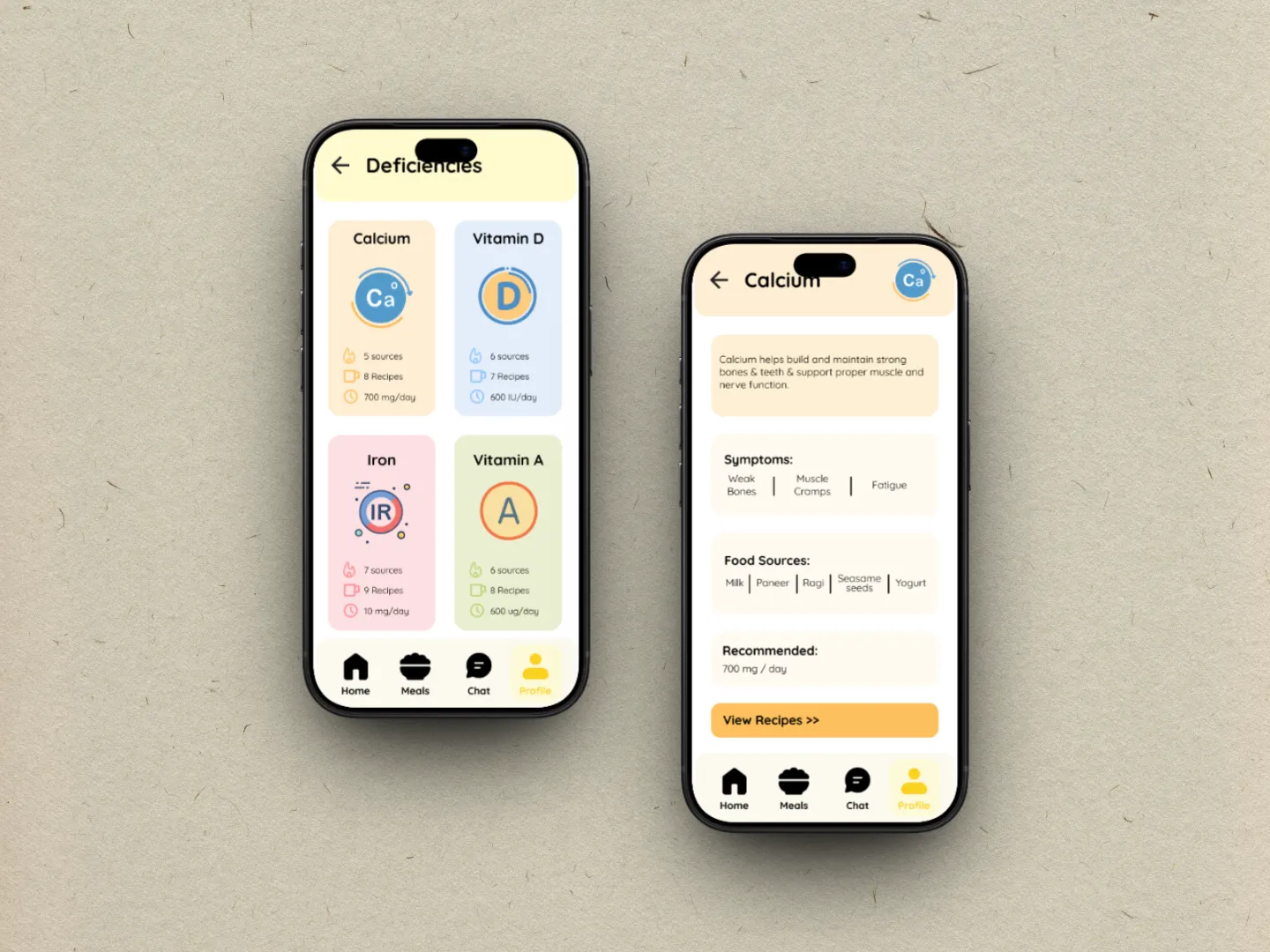
  • Deficiencies

  • Reports

  • Child details

  • Allergies

  • Deficiencies

  • Reports

04 DELIVER

04 DELIVER

Structure before styling.

Wireframes were used to check hierarchy before adding visual details.

WHAT I CHECKED
WHAT I CHECKED

Can users see the main action? Is important information grouped together? Can the screen be understood quickly?

Can users see the main action? Is important information grouped together? Can the screen be understood quickly?

STYLE GUIDE

STYLE GUIDE

STYLE GUIDE

Make the interface feel calm.

Visual choices support the same goal: less stress and faster understanding.

Visual Direction
Visual Direction

Soft colours, clear type, rounded cards and generous spacing keep the experience calm and easy to scan.

Soft colours, clear type, rounded cards and generous spacing keep the experience calm and easy to scan.

TYPOGRAPHY AND LAYOUT

Why:

Why:

Colours
Colours
SPACING AND CARDS
SPACING AND CARDS

LOW FIDELITY USER INTERFACE

LOW FIDELITY USER INTERFACE

LOW FIDELITY USER INTERFACE

Turn the structure into screens.

These screens represent the core roles described in the project

USABILITY TESTING

USABILITY TESTING

USABILITY TESTING

Test, listen, improve.

The project tested the meal-logging and recipe flow with 5–6 parents, for around 20–30 minutes per session.

TEST GOALS
TEST GOALS
  • Can parents log a meal without confusion?

  • Are tips and suggestions clear?

  • Do alerts and setup make sense?

  • Can parents log a meal without confusion?

  • Are tips and suggestions clear?

  • Do alerts and setup make sense?

FEEDBACK 01

FEEDBACK 01

Colours felt too dark.

Change: Use lighter, calmer screens.

FEEDBACK 02

FEEDBACK 02

More detail was needed.

Change: Explain recommendations and connect them to an action.

FEEDBACK 03

FEEDBACK 03

Make the next action obvious.

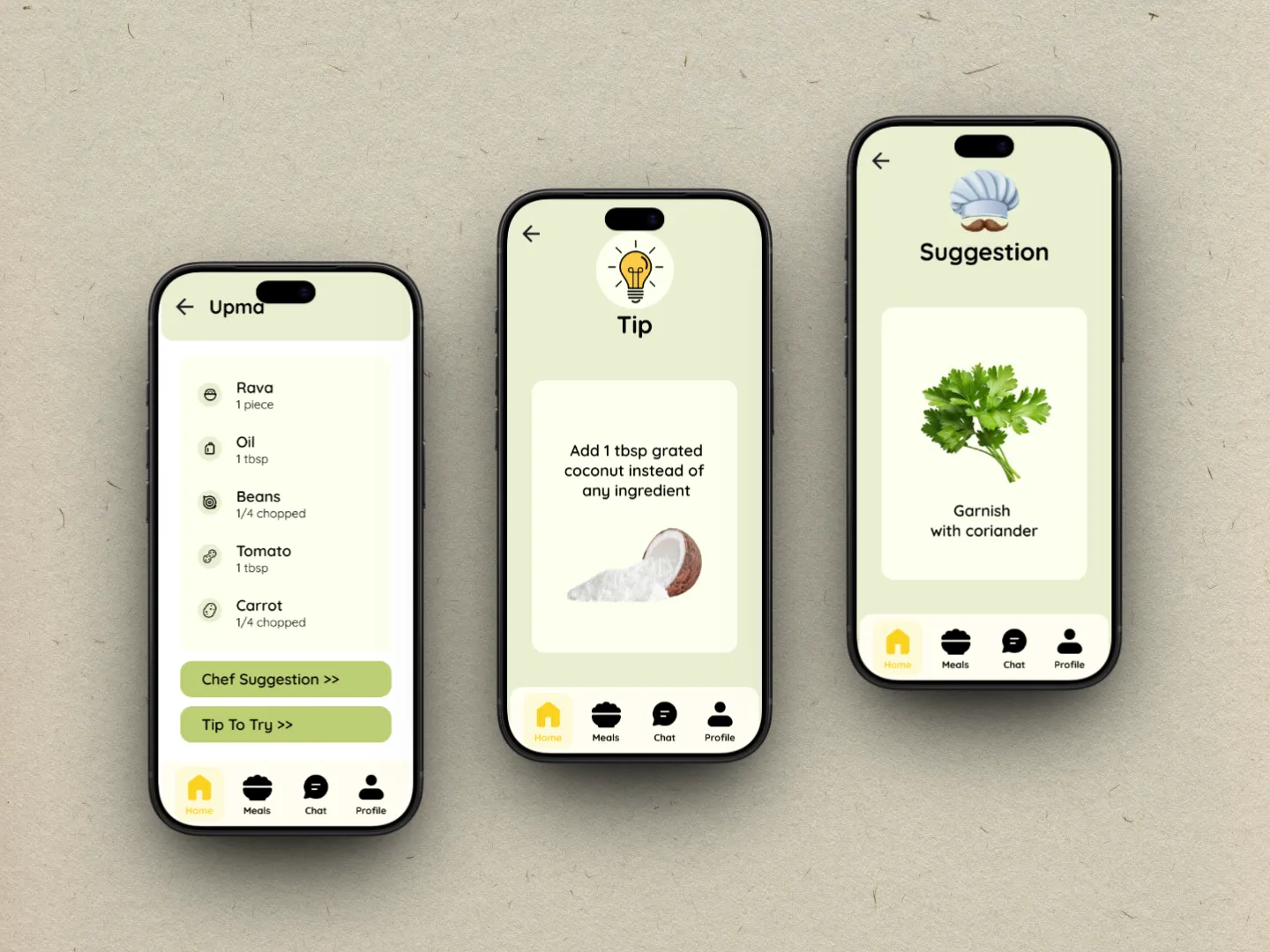
Connect tips and alerts to a useful action.

POST FEEDBACK

POST FEEDBACK

POST FEEDBACK

Design changes after testing.

Testing is only useful when feedback changes the design.

BEFORE

BEFORE

Heavy visual treatment

Darker screens and less supporting detail made some information.

AFTER

AFTER

Lighter + more explanatory

Use softer backgrounds, clearer cards and more context.

HIGH FIDELITY USER INTERFACE

HIGH FIDELITY USER INTERFACE

HIGH FIDELITY USER INTERFACE

Turn the structure into screens.

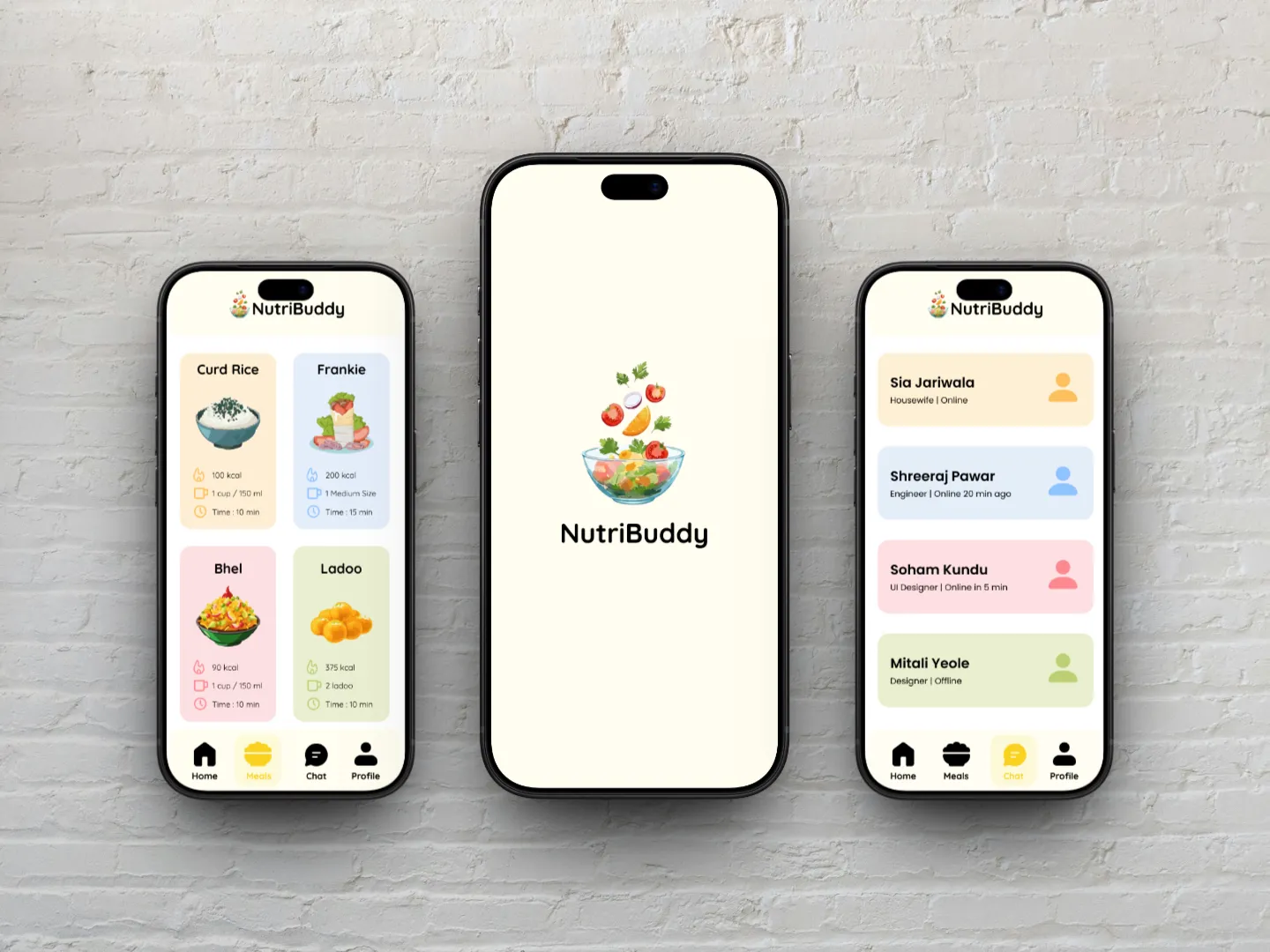
These screens represent the core roles described in the project

TAKEAWAY

TAKEAWAY

TAKEAWAY

Less guesswork. More confidence.

NutriBuddy turns a stressful nutrition decision into a simpler daily routine. The final direction focuses on one simple idea: give parents clear, meal-by-meal guidance without overwhelming them with information.

Mitali Yeole

UI UX Designer

UX Researcher

UI Designer

Mitali Yeole

UI UX Designer

UX Researcher

UI Designer

Mitali Yeole

UI UX Designer

UX Researcher

UI Designer